 Facts checked Nov 11, 2026
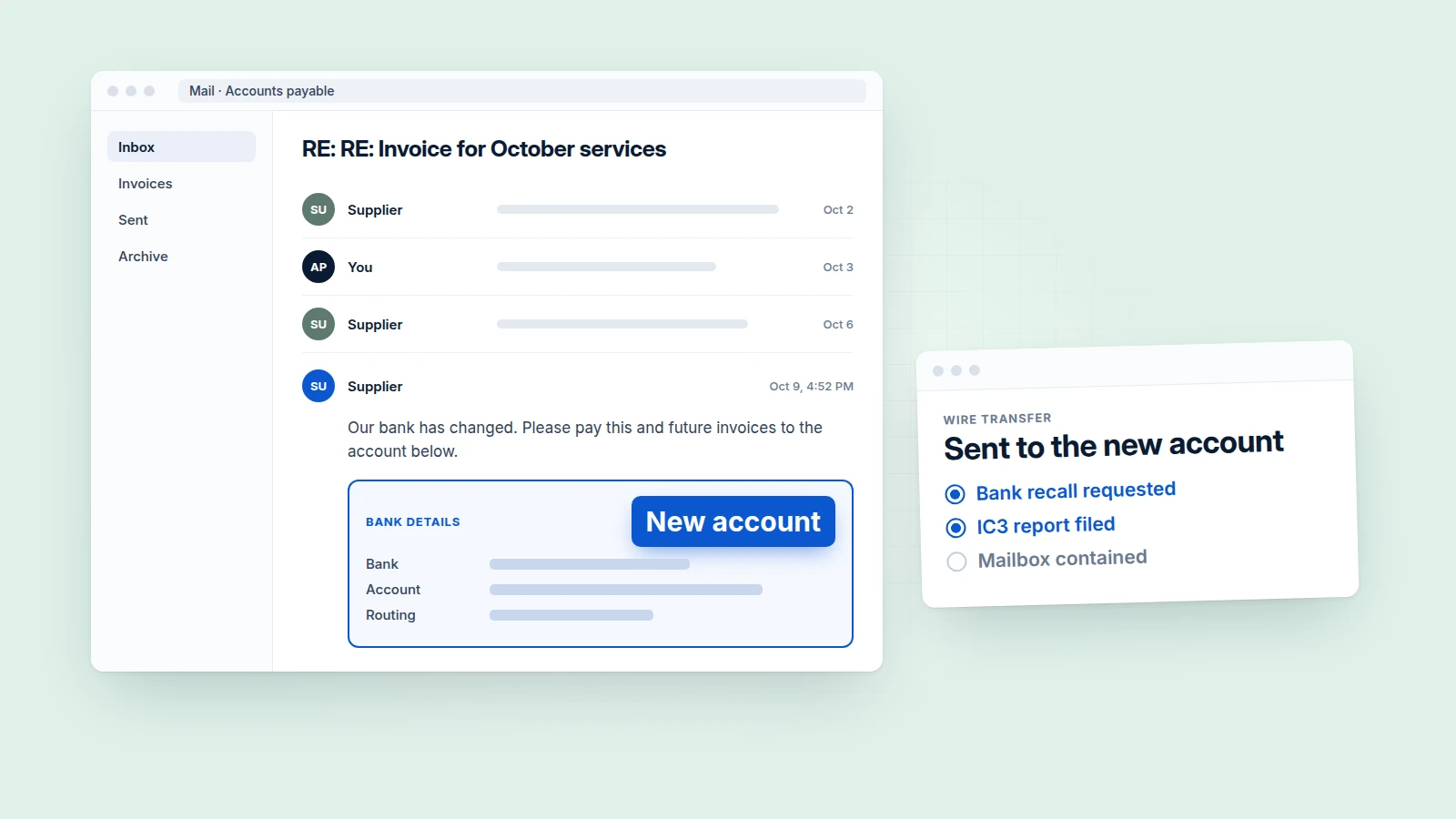
Do the money first, then the mailbox. In the first hour finance asks the bank to recall the payment and files with the FBI's IC3, while IT disables the affected account without deleting anything; within 24 hours you should know whose mailbox leaked the thread, what the attacker could read, and which payment-change control failed. This guide is for the controller, finance lead and IT or security lead at a US company on Microsoft 365 or Google Workspace who has just learned that a payment went to a fraudster after an email that looked like a real vendor or executive. It slots into your incident response plan where you have one and stands in for it where you do not.
Business email compromise (BEC) is fraud in which an attacker uses a hijacked mailbox or an impersonated domain to talk a company into sending money or changing payment details. Here it means the incident where a payment went, or nearly went, to the wrong account.
What do we do in the first hour?
Finance goes to the bank and IC3, IT contains the account, and an executive names a lead and calls counsel. We recommend this split of owners, working in parallel.
Within | Owner | Step | Done when |
|---|---|---|---|
15 minutes | Controller or finance lead | Call the originating bank. Ask for a recall of the payment and for any hold-harmless or indemnity letter the bank requires; have counsel see any letter the company is asked to sign. Stop any further payment to the same account. | You have a bank case or reference number and the name of the person handling it. |
15 minutes | Executive sponsor | Name one incident lead; move incident talk to phone or chat. | One person is named in writing. |
30 minutes | IT lead | Disable (Microsoft 365) or suspend (Google Workspace) the account you suspect. Do not delete any message. Set the new password by phone or in person, never by email. | Sign-in is blocked and the admin console shows the state. |
60 minutes | Finance lead | File the IC3 complaint with the full transaction and banking details. | You have the complaint confirmation saved. |
60 minutes | Executive sponsor | Notify outside counsel and read the notice conditions in your insurance policies. Call the insurer if a policy requires early notice. | The call is logged with time and name. |
Keep all of this off email. The Secret Service says not to use a compromised email address to contact law enforcement, and Microsoft warns that emailing a new password is unsafe because the attacker could have access to the mailbox.
Can we get the money back?
Maybe, and the odds are better the faster you report. FinCEN's advisory says it has had greater success recovering funds when victims or banks report fraudulently induced wire transfers to law enforcement within 24 hours. It also says recovery is not assured and such transfers are often irrevocable.
Money-recovery box
- The bank is first. The FBI's BEC public service announcement says to contact your financial institution immediately and request a recall of the funds, along with any necessary indemnification documents.
- IC3 is second, at any amount. The FBI says to file regardless of the amount lost. Fill in every required field, including banking information.
- Put onward transfers in the complaint. The 2025 IC3 report says that for domestic transfers the Financial Fraud Kill Chain (FFKC) can extend beyond the first recipient bank when "second hop" information is supplied at initiation.
- Have ready: amount, date, originating and receiving bank, account details, any onward account, and the fraudulent email with full headers.
- What the FBI process is. The IC3 Recovery Asset Team, set up in 2018, works with financial institutions and FBI field offices to help freeze funds through the FFKC. In 2025 the process handled 3,900 incidents of all crime types and froze $679,013,183, a 58% success rate by IC3's count.
- Eligibility. The 2025 report states no FFKC eligibility criteria, so do not hold back a complaint to check them.
- ACH. Ask the bank what return or recall options apply to your payment type.
For scale, IC3's 2025 report counts 24,768 BEC complaints reporting $3,046,598,558 in losses that year.
Whose mailbox was it?
A fraudulent message inside a genuine thread from a lookalike domain means somebody's mailbox holds that thread; the Secret Service notes that scammers pose as trusted contacts in ongoing conversations. A clean-looking tenant does not end the question, because the leak may sit at the vendor. We sort the evidence into three cases below; the log sources named are Microsoft's and Google's.
| A. Our mailbox is compromised | B. The counterparty's mailbox is compromised | C. Lookalike domain or spoof, no mailbox compromised |
|---|---|---|---|
Sending evidence | Real internal address, or a lookalike inside a thread only our mailbox held | Vendor's real domain, or a lookalike inside a thread we never forwarded outside | Domain differs from the vendor's by a character or top-level domain; Reply-To points elsewhere; no genuine earlier thread |
Headers | SPF, DKIM and DMARC may pass for the real domain | The vendor's own authentication passes | Fails, or passes only for the attacker's lookalike domain |
Our logs | Unfamiliar sign-ins, new rules, new app grants, sent items nobody wrote (Microsoft: sign-in logs, audit log, message trace; Google: user log events, Email log search) | Nothing unusual | Nothing unusual |
Call to the vendor on a number you already held | Vendor did not send it | Vendor did not send it; may find rules or forwarding in their mailbox | Vendor did not send it |
What it changes | Full eviction and read-scope analysis here | Tell the vendor now; check your tenant anyway | No eviction; fix verification and domain monitoring |
The cases overlap: a hijacked mailbox can send from a lookalike domain, so a lookalike alone does not clear your tenant. Do not accept the vendor's "we are fine" by email; call.
Contain first, record before you remove
Disable or suspend now, and capture each attacker artifact before you remove it. Neither vendor says to wait for exports: Microsoft's first step is to disable the account, and Google says suspending a user resets the user's sign-in cookies and OAuth tokens. Audit logs stay in place; cleanup destroys state held in the mailbox.
Before you remove each item, export or screenshot:
- the inbox rules and forwarding settings as found;
- the OAuth app grants and the registered MFA methods and devices;
- the fraudulent message and the genuine thread, with full headers.
Never delete the fraudulent message. The Secret Service says to preserve original emails. In Google Workspace's security investigation tool you can only search messages that have not yet been deleted from Trash, so deleting the message hurts your own investigation. If copies must leave other inboxes, quarantine them rather than delete (the security investigation tool can do that, but only in certain editions, such as Enterprise Standard and Enterprise Plus).
Retention sets your deadline. Microsoft Audit (Standard) keeps records 180 days, and Audit (Premium) keeps them one year for Exchange, SharePoint, OneDrive and Entra records. Google keeps user and Gmail log events 6 months, and Email log search covers 30 days. Export what you need before it ages out.
What survives a password reset?
Sessions, app passwords, OAuth grants and attacker-added MFA methods all survive a reset, so remove them in one pass. Microsoft says app passwords are not automatically revoked when you reset the password. Google says only "some" OAuth 2.0 applications stop accessing data after a reset. Revoke explicitly.
Persistence | Microsoft 365 / Entra | Google Workspace | Record first |
|---|---|---|---|
Active sessions and refresh tokens | Revoke user sessions in Entra. Access tokens last 1 hour by default, so access can linger briefly after revocation | Suspend the user (resets sign-in cookies and OAuth tokens), or revoke tokens explicitly | Last sign-in and session list |
Inbox rules and hidden rules | Review all inbox rules including hidden ones; look for rules that forward or redirect, or that move mail to Notes, Junk Email or RSS Subscriptions | Retrieve account settings through the Gmail API | The rule as found |
Mailbox-level forwarding | Check mailbox forwarding properties (PowerShell) and remove forwarding the attacker added | Retrieve forwarding settings through the Gmail API | The forwarding address |
OAuth consent grants | Review user-consented apps. By default users can consent to apps that access their mailbox; remove and revoke those that should not be allowed | Revoke OAuth tokens for the user | App name, permissions, date |
App passwords and legacy access | Remove app passwords (not revoked by a reset) | Remove app passwords | The list as found |
MFA methods and devices | Remove unrecognized MFA methods and suspicious devices | Review the account's devices | Method, device name, date added |
Delegates and shared mailbox access | Check mailbox permissions such as full access and send-as | Check Gmail delegation | The permission list |
Microsoft's compromised-account page does not list delegates; we add them because a delegate is an access path a reset does not touch.
Two FBI warnings from 2026 belong on this list.
- User-granted app permissions survive a password change. In September 2026 the FBI warned about consent phishing, where a user grants an attacker's app access to the account. It says that access can only be revoked by the victim invalidating the token in their application security settings, not by changing the password. This is why the OAuth row above matters; our guide to reviewing OAuth app grants has the procedure.
- Device-code sign-in phishing. In May 2026 the FBI warned that a phishing kit steals Microsoft 365 access tokens through device-code sign-in. With the token, the attacker can reach Outlook, Teams and OneDrive without a password or any further MFA challenge. The FBI's recommended control is a conditional access policy that blocks device code flow for all users, with limited exceptions for required business processes. Add the block to your closing-the-gap list.
Verify: sign-in logs show no sessions from unrecognized locations, the rule, grant, MFA and forwarding lists match what the user created, and the account is re-enabled only once the user has a new password by phone.
What could the attacker read?
It depends on your license and on whether mailbox auditing was on during the attack window. Check that first. If it was off, there is nothing to look at, and we would treat the whole mailbox as readable for the notification analysis.
- Microsoft 365. The
MailItemsAccessedaudit record is on by default for users assigned an Office 365 E3/E5 or Microsoft 365 E3/E5 license, and it covers POP, IMAP, MAPI, EWS, Exchange ActiveSync and REST. The record shows access, not reading: Microsoft says Exchange Online audits the event even where there is no sign the item was read. If the record shows a sync from the attacker's context, Microsoft says to assume the bad actor synced all mail items, so the entire mailbox is compromised. - Business Basic, Standard and Premium. CISA's Microsoft Expanded Cloud Logs Implementation Playbook said in its May 2026 revision (version 1.1) that these licenses provide access to Audit but did not then have auditing enabled by default, and would have it by default in the future. If you run one of these plans, check the tenant's audit status; do not assume it was on.
- Tampering. CISA notes that tampering with or disabling logging is well-documented threat actor behavior. Check whether logging was switched off during the window.
- Google Workspace. Gmail log events record actions such as View, Send and link click, and delegate actions are logged. They are kept 6 months.
A defensive AI agent with read-only log access can pull and summarize sign-in anomalies, new rules and grants and sent-mail volume. A human decides what counts as read.
Who do we tell in the first 24 hours?
Bank and IC3 first, then the people the attacker may use next. We recommend telling these four:
- The Secret Service, which investigates BEC with local and federal law enforcement; FinCEN's advisory names the nearest Secret Service field office, with IC3 and the local FBI field office, as a place banks can ask for help recovering BEC funds. Contact it from a clean channel.
- The counterparty on a known phone number. Their other customers are the next targets, and the vendor may find the leak.
- Others on the hijacked thread. Tell them the payment instructions in that thread are not to be trusted, by phone.
- Insurer and counsel. Check the notice conditions in your insurance policies. Counsel owns the question of liability between you, the bank and the vendor.
Is it a notifiable breach?
It may be, if the attacker could read personal data. State rules differ, and our guide on when mailbox contents trigger breach notification covers them. This guide supplies the input: record whether mail-access logs existed, whether they show a sync, or whether you must assume the whole mailbox; search the mailbox for personal data; and record the decision and who made it, in hours 8 to 24.
How do we close the gap?
- Verify payment changes on a known number. The FBI says to use secondary channels to verify requests for changes in account information. Call a number from the contract file, not the email. Our guide on call-back verification for payment changes has the procedure.
- Phishing-resistant MFA. Google's compromised-account guidance recommends enrolling users with security keys rather than 2-Step Verification codes; Microsoft's guidance highly recommends enabling and enforcing MFA and links to its page on phishing-resistant MFA for admins. Pair it with the device code block above, because stolen tokens bypass MFA. Our phishing-resistant MFA guide covers rollout.
- Lookalike-domain monitoring. Watch for new domains resembling your name and your top vendors', and flag external senders whose display name matches a known contact.
- AI-written replies and cloned voices. The IC3 2025 report says businesses reported losses over $30 million to BEC scams involving AI, and also that not all BEC is AI-enabled. Treat "it read like them" and "it sounded like them" as no evidence either way.
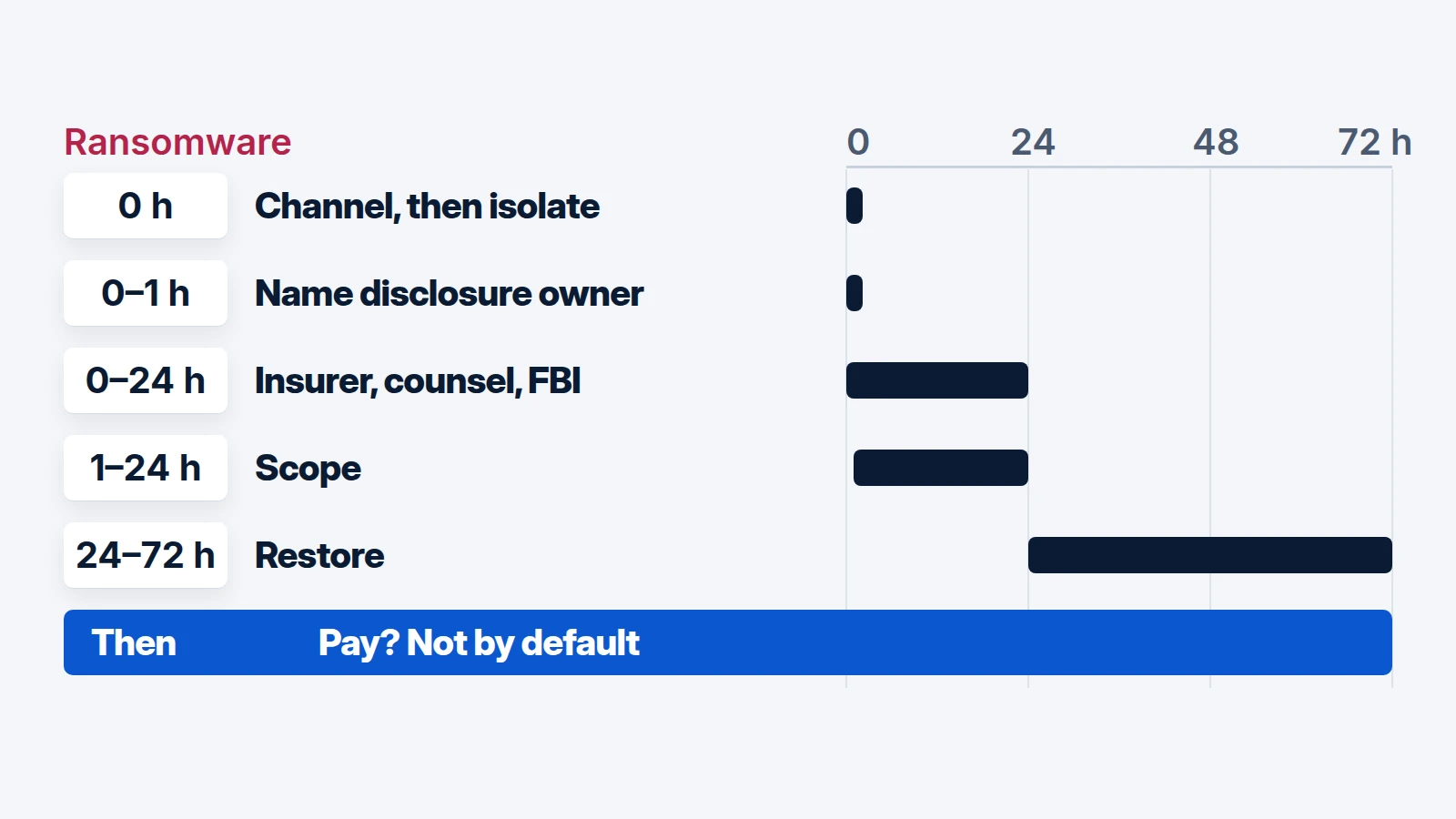
The first-24-hours runbook
Copy this into a ticket.
- 0 to 1 hour
- 1 to 4 hours
- 2 to 8 hours
- 4 to 24 hours
- 8 to 24 hours
You are done when no unrecognized rules, grants, sessions, MFA methods or forwarders remain, the counterparty has confirmed its own state, the notification decision is recorded, and the failed control has an owner and a date.